Splitter
Panels the reader can resize by dragging the bar between them, with per panel minimums, maximums and a collapse control.
Anotomy
Structure of the splitter and how its internal parts are composed. These are its semantic parts, so they are also what the
classNames and styles objects accept.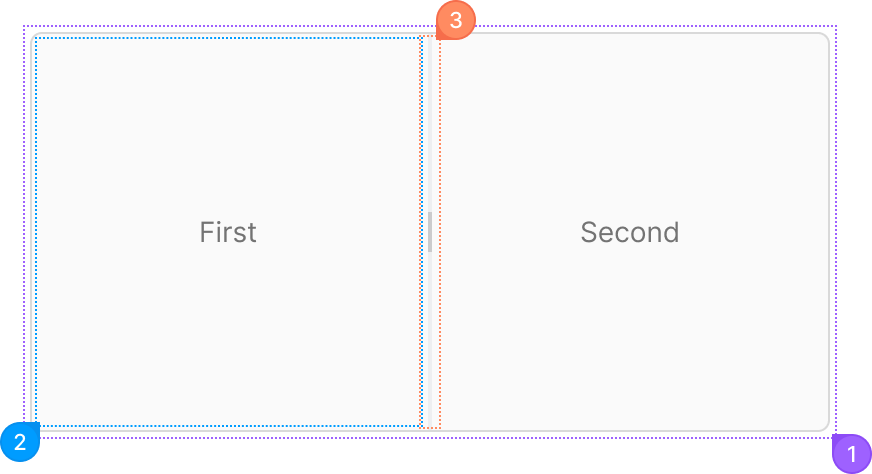
| Name | Description | |
|---|---|---|
1 | root | The whole splitter. orientation lays the panels out side by side or stacked. |
2 | panel | One Splitter.Panel. size, min and max set its share, and collapsible adds a collapse button. |
3 | dragger | The bar between two panels that the user drags. It takes a string, or { default, active } for the dragging state. resizable={false} on a panel locks it. |
© 2026 AntUIKit . All rights reserved.