Image
An image with a preview overlay, a fallback for a broken source and a placeholder for one still loading.
Anotomy
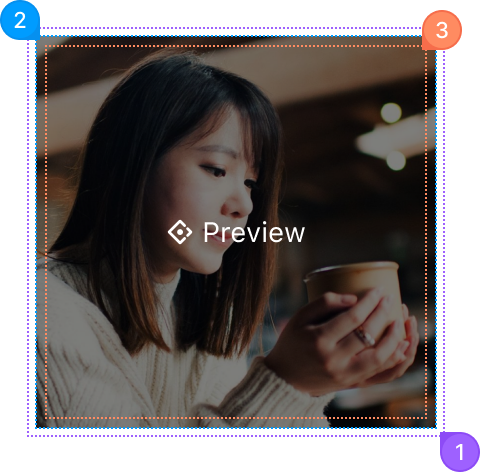
Structure of the image and how its internal parts are composed. These are its semantic parts, so they are also what the
classNames and styles objects accept. On Image.PreviewGroup only the popup keys apply.Image
| Name | Description | |
|---|---|---|
1 | root | The wrapper around the picture, sized by width and height. |
2 | image | The real <img>, from src. Give it an alt. fallback is shown when src fails to load. |
3 | cover | The layer shown on hover that opens the preview. preview={false} removes it. |
Preview
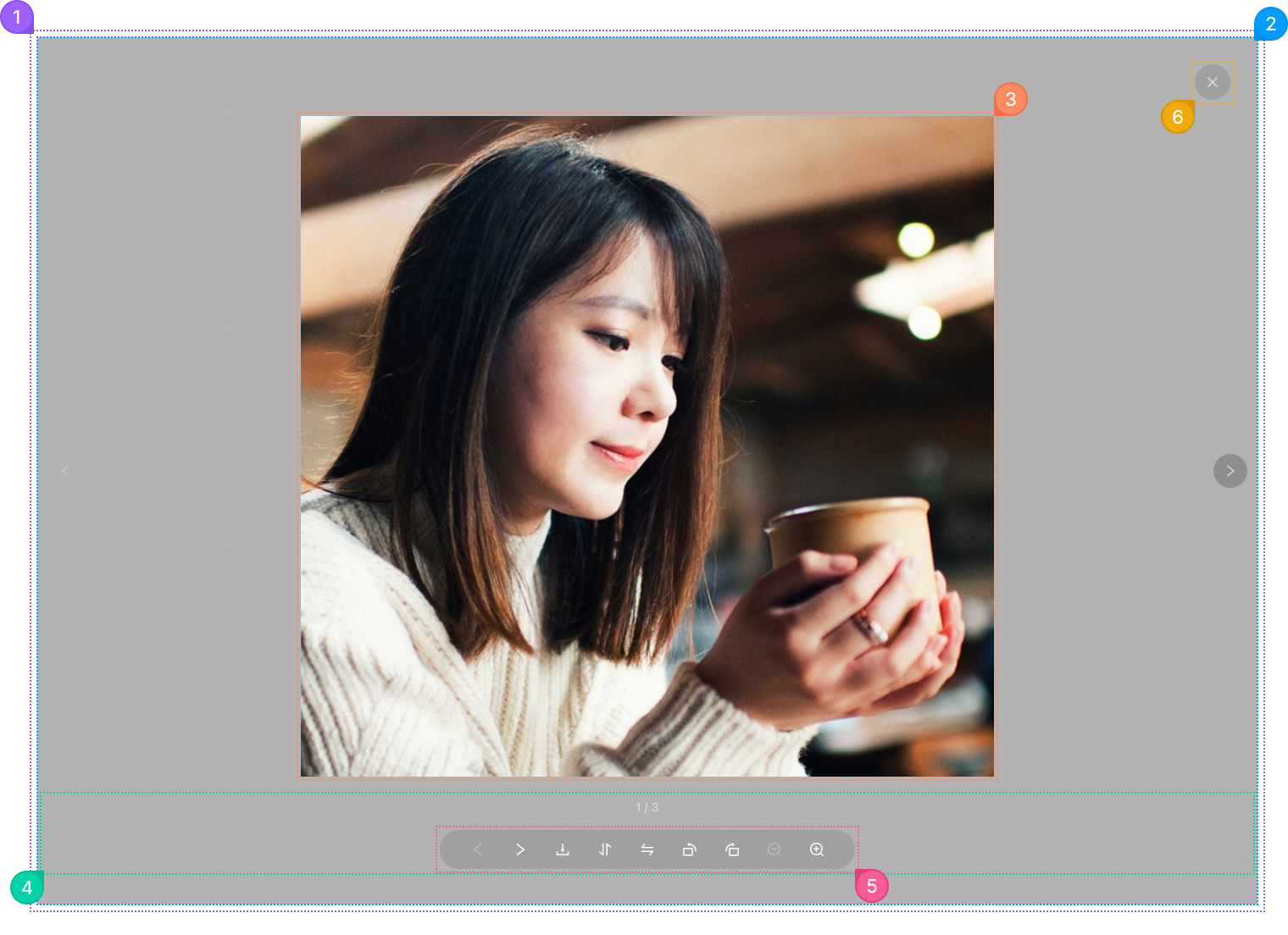
The viewer that opens on a click, shown here for a preview group of three.
| Name | Description | |
|---|---|---|
1 | popup.root | The layer over the page that holds the viewer. It is portalled to <body>, so these keys are how you reach it. |
2 | popup.mask | The dimmed layer behind the picture. |
3 | popup.body | The area that holds the zoomed picture. |
4 | popup.footer | The bar at the bottom with the counter and the toolbar. |
5 | popup.actions | The toolbar: flip, rotate and zoom, and the arrows in a group. preview.actionsRender replaces it. |
6 | popup.close | The close button in the corner. preview.closeIcon replaces the glyph. |
© 2026 AntUIKit . All rights reserved.