Attachments
A drop area for files that lists them as cards once they are added, for attaching files to a chat message.
Anotomy
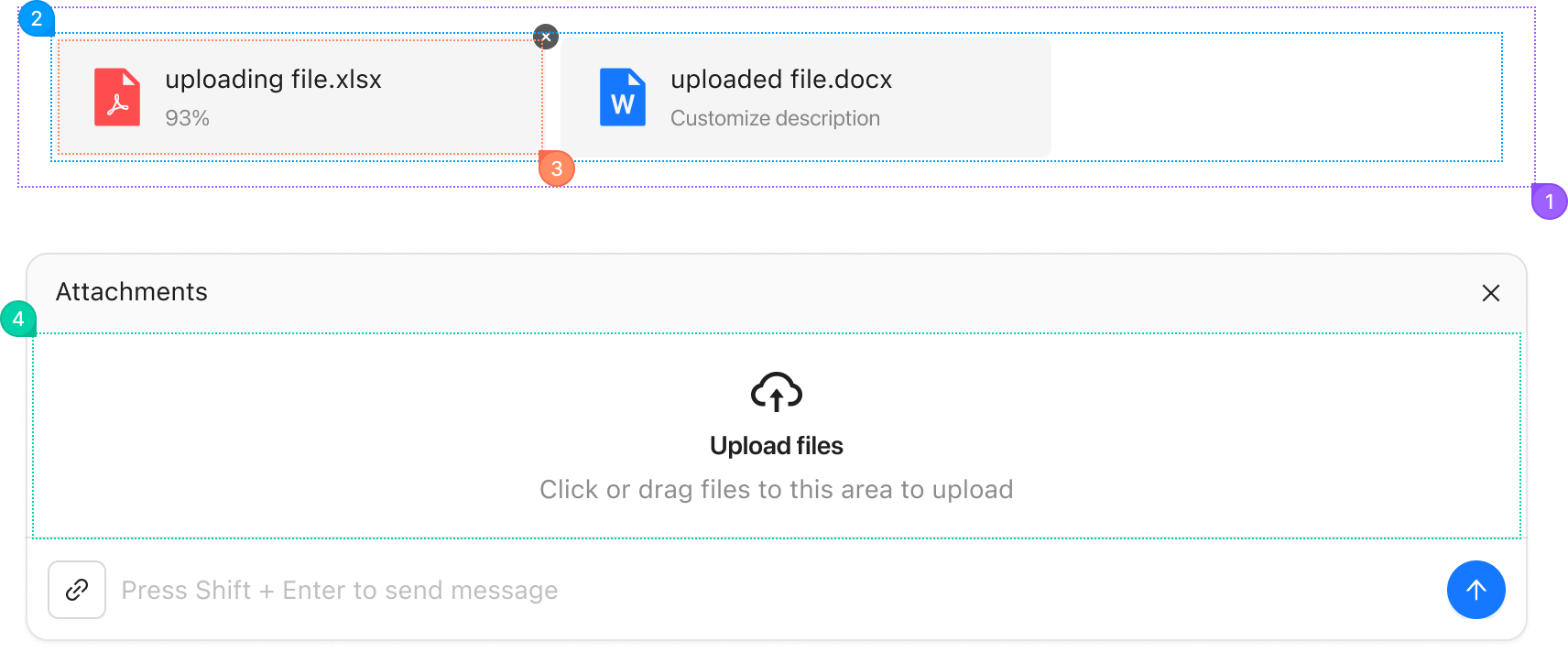
Structure of the attachment area and how its parts are composed. The top drawing is the area with files in it, the bottom one is the empty area inside a Sender header.
| Name | Description | |
|---|---|---|
1 | root | The whole attachment area. |
2 | list | The row of added files, from items. It renders when there is at least one file. |
3 | card | One file in the list. It shows the file's icon, name and status, and a remove button. |
4 | placeholder | The drop area shown when there are no files, filled by placeholder with an icon, a title and a description. |
© 2026 AntUIKit . All rights reserved.